
Functional Blocks for Controller Programming
4 November 2020 by Johautt Hernández
Controller programming encompasses a range of strategies for building sequential instructions that let a controller interpret inputs, process them, and translate the results into outputs that energize and regulate specific machines or complex processes.
Programming in this field has not evolved much — likely because programming controllers is a niche activity and therefore not widely practiced. That limited audience has produced little innovation in the sector.
Several factors keep it niche: equipment costs are high, and the technical and safety requirements are demanding enough that meaningful access is restricted to highly specialized personnel, often with years of hands-on experience.
These programming strategies fall into two main language types.
Text Languages
Text languages have advanced very little in controller programming — the opposite of what has happened in general-purpose computing and server software. As a result, they are typically considered low-level languages in this domain, even though high-level text languages elsewhere have made developers far more productive than the graphical languages common in industrial automation.
Assembly-like syntax still appears in parts of this sector, adding complexity and limiting practical adoption. Two subtypes stand out:
- Instruction List: closely resembles assembly language. Today it sees minimal use, limited to small applications because of its high complexity.
- Structured Text: closely resembles PASCAL. It provides the functionality needed for complex operations, yet still falls short of the programming efficiency that the software industry now takes for granted.
Graphical Languages
Graphical languages are considered "high-level" by industry standards. Their graphical interfaces make programming more accessible by letting users interconnect elements according to the rules defined by the language itself.
These languages have real limitations around parameter configuration. Some parameters are reconfigurable during runtime or through a machine parameter interface; others can only be changed from within the programming environment, which constrains process flexibility. In some cases, parameters are fixed entirely — or the parameters needed for a given task simply don't exist.
This forces programmers to work around the limitation in more convoluted ways, unnecessarily degrading controller performance. Three subtypes are common:
- Ladder Diagram: modeled after the way relay-based controllers were wired in earlier decades. Energy flows left to right across each rung, passing through interruptions represented by relay contacts and manually operated or process-actuated switches. That flow energizes coils that activate relay contacts on the same or other rungs, implementing the logic required to control the process. Ladder is ubiquitous in PLCs but shows its limits with analog process variations and needs additional tooling for communication with other controllers or user interfaces.
- Sequential Function Chart (SFC): allows automation processes to be specified as sequential logical flows. Each subroutine's output affects the controller's output values and the behavior of subsequent subroutines, based on the current state and inputs — whether physical controller inputs or outputs from prior steps. Flow direction changes according to the current subroutine's output, branching execution to one subroutine or another. This language type derives from the GRAFCET model.
- Function Block Diagram (FBD): uses logical symbol blocks to define controller behavior and its interaction with the process. Output signals result from input signals and the block's internal logic, which can be combinational, sequential, or a mix of both — and may or may not be affected by configuration parameters adjustable in the programming interface, a user interface, or communication with other controllers. FBD is the preferred choice for those accustomed to logic gate circuits, since the symbology maps directly. It suits users without deep programming skills and processes of moderate complexity.
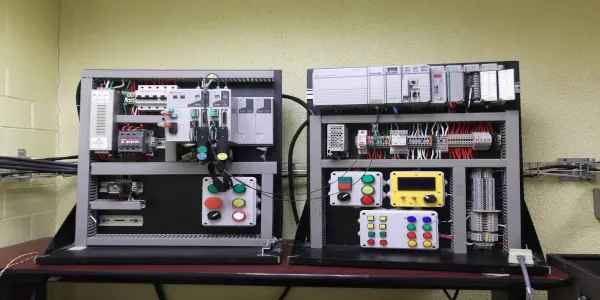 Example of a functional block diagram in a controller programming environment.
Across the automation world, function block diagrams take many forms depending on the automation software vendor and the control hardware in use. Most implementations share a common set of foundational blocks that generate arithmetic and logical operations, and these can be nested inside larger blocks to build more complex control sequences. The most common are described below.
Arithmetic Blocks
Arithmetic blocks have numeric inputs and outputs — integer or floating-point, depending on the controller manufacturer.
- Add: the output is the arithmetic sum of two or more input signals.
- Subtract: the output is the first input signal minus one or more subsequent input signals.
- Multiply: the output is the arithmetic product of two or more input signals.
- Divide: the output is the first input signal divided by one or more subsequent input signals.
- Gain / Scale Factor: similar to multiplication, but with a single variable input and a typically constant configuration parameter. Often used alongside other blocks to compose transfer functions needed to regulate a process's output variables as a function of its inputs and tuning parameters.
Logic Blocks
Logic blocks have Boolean inputs and outputs. Using a light bulb as an analogy: a logical 0 ("false") is the bulb off; a logical 1 ("true") is the bulb on.
- OR: output is 1 if any input is 1. Its complement, NOR, inverts the OR output.
- AND: output is 1 only if all inputs are 1. Its complement, NAND, inverts the AND output.
- NOT: single-input block; output is 1 when input is 0, and 0 when input is 1.
- XOR: for two inputs, output is 1 if and only if exactly one input is 1. Behavior for more than two inputs varies by manufacturer — consult the functional block manual before use.
- Latch (SR): used for set-reset logic. Has a "set" input and a "reset" input. If set is 1 while reset is 0, output is 1. If set is 0 while reset is 1, output is 0. If both are 0 simultaneously, output holds its current state. Behavior when both inputs are 1 at the same time is manufacturer-defined — if undefined, that state should be avoided. Check the manual for the output's initial state at controller power-up.
- Toggle: commonly used for on/off logic driven by a single pushbutton. The output changes state (0 to 1, or 1 to 0) on the transition of its input, depending on the manufacturer; otherwise it holds its previous state. As with the Latch, consult the manufacturer's manual for the initial output state at power-up.
Timing Blocks
Timing blocks are similar to logic blocks but switch an output based on input conditions and a numeric configuration parameter: the time delay for the state change. The following descriptions are generic; detailed behavior depends on the manufacturer.
- On-Delay (TON): output transitions from 0 to 1 a time T after its input transitions from 0 to 1, provided the input remains at 1 for at least that duration. Once the output reaches 1, it returns to 0 as soon as the input drops to 0.
- Off-Delay (TOF): output transitions from 1 to 0 a time T after its input transitions from 1 to 0, provided the input remains at 0 for at least that duration. Once the output reaches 0, it returns to 1 as soon as the input rises to 1.
- Minimum On-Time: the output holds at 1 for a minimum time T after the input transitions from 0 to 1, regardless of whether the input subsequently drops back to 0. Once that minimum time elapses, if the input is at 0, the output drops to 0.
- Minimum Off-Time: the output holds at 0 for a minimum time T after the input transitions from 1 to 0, regardless of whether the input subsequently rises back to 1. Once that minimum time elapses, if the input is at 1, the output rises to 1.
 Timing blocks and advanced functional blocks in an automation programming environment.
Other Blocks
A few additional blocks appear frequently in this programming model:
- PID Block: provides proportional-integral-derivative (PID) loop control, useful for regulating process dynamics. It typically exposes the following numeric inputs, parameters, and outputs:
- Set-point: numeric input representing the desired value of a physical process variable.
- Feedback: numeric input representing the measured value of that physical process variable. This value is provided by a sensor instrument that converts the physical variable into a signal the controller can read — a process known as signal conditioning.
- Output: numeric output produced by the PID algorithm. This value is sent as an analog output to an actuator that changes a physical process variable, directly or indirectly affecting the variable being regulated.
- Proportional Band: numeric parameter or input representing the error value required to drive the output from 0 to 100%. Its effect on the output is immediate.
- Integral Time: numeric parameter or input representing the weighting of accumulated error (deviation from set-point) over time.
- Derivative Time: numeric parameter or input that determines the effect of the derivative action on the system's response.
- Timer: used to measure how long a logical input holds at 1. Its output is numeric and updates continuously while the input is 1. A time-unit configuration parameter — typically milliseconds, seconds, minutes, or hours — determines the output's update interval.
Johautt Hernández Integration Lead jhernandez@innotica.net LinkedIn
References
- 5 Programming Languages for PLCs — Seika
- PLC Programming Languages — IngMecafenix
- Automation Languages — Autracen
- PLC Logo — Área Tecnología
- EC-gfxProgram Programming Manual, Distech Controls™.